
Smart AI Upscale Pro
Automatically detects low-resolution imports and enhances them up to 150 or 300 DPI using CoreML-accelerated offline models.
Edit flat text directly and rebuild complex backgrounds offline on your Mac with pixel-perfect accuracy. Includes one free high-resolution premium export daily, with no watermarks.
One free premium export per day. No credit card or sign-up required.
See how our LaMa-powered AI reconstructs complex backgrounds. It removes text and seamlessly fills in the missing areas, preserving textures and patterns with pixel-perfect accuracy.
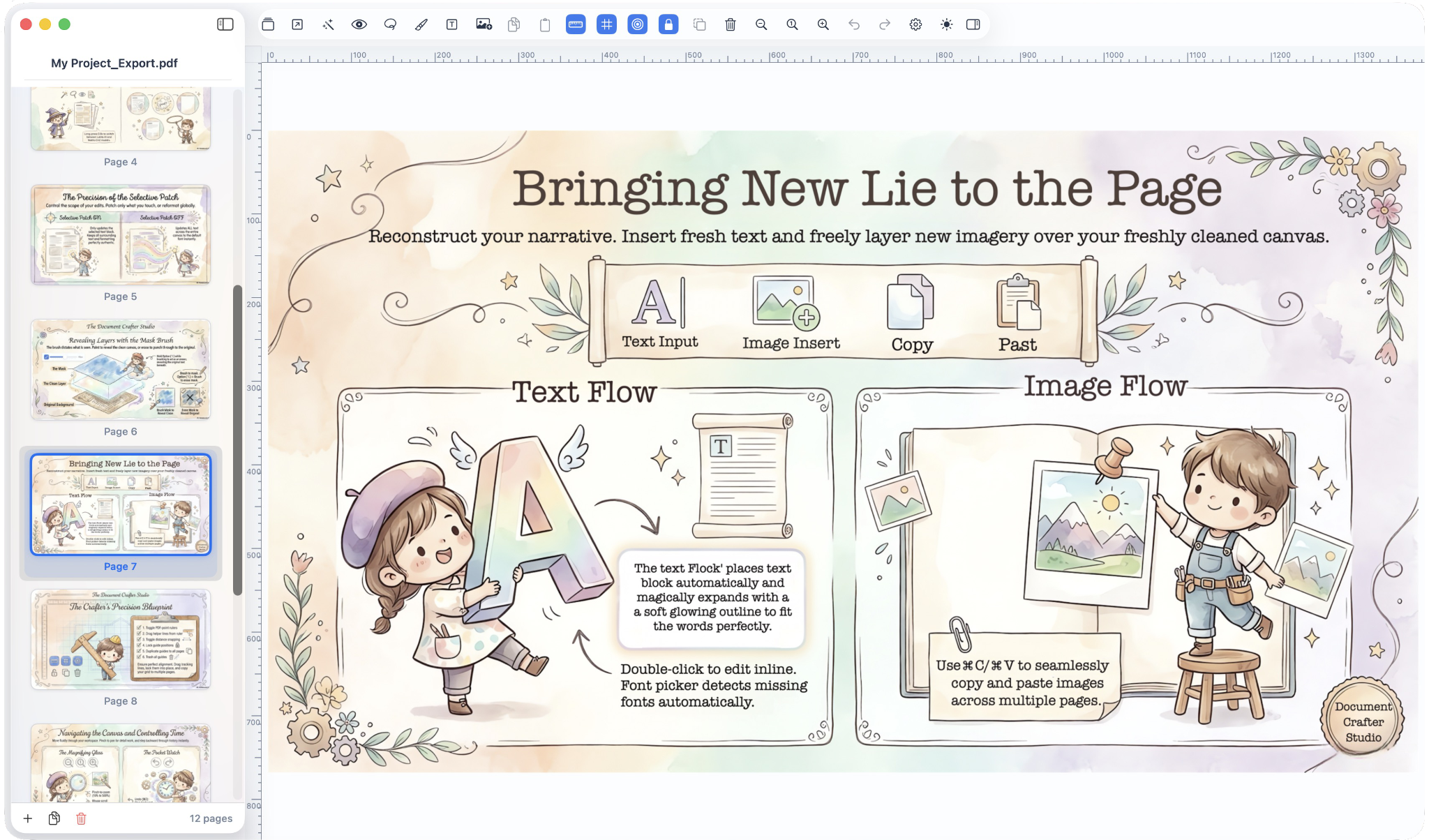
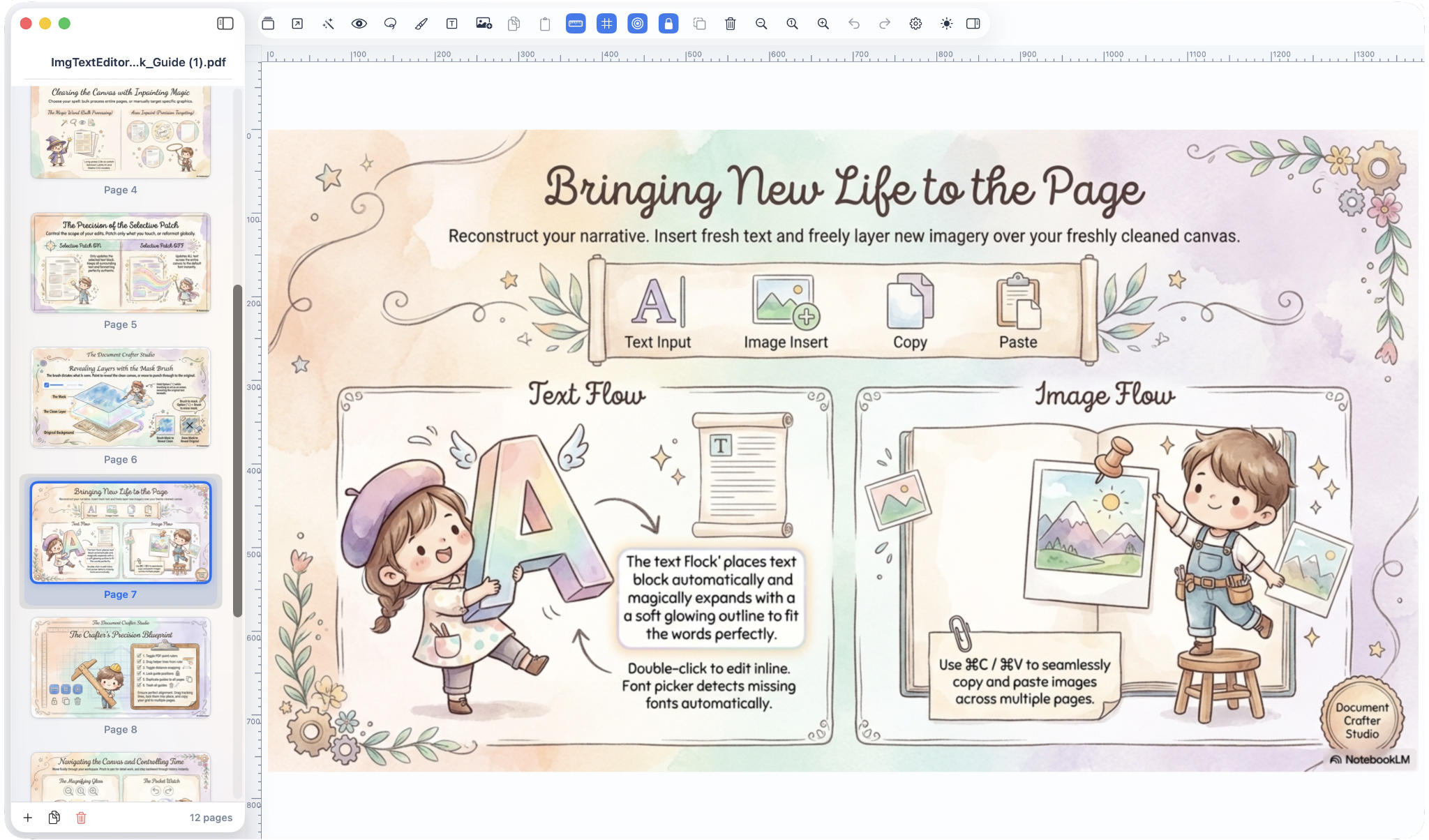
Built exclusively for macOS, ImgTextEditor combines state-of-the-art AI with a robust layout engine.
Automatically detects low-resolution imports and enhances them up to 150 or 300 DPI using CoreML-accelerated offline models.
Uses the LaMa (Large Mask Inpainting) model to reconstruct complex backgrounds behind extracted text blocks. Offline and 100% private.
No PPTX export required for basic changes. Edit text blocks directly on the canvas with multi-selection property edits.
Rotate text blocks to any angle or use 4-corner perspective warp control handles to perfectly map text onto angled or curved surfaces.
Quickly copy visual styling (font, size, colors, outlines, glow, shadows) from one text block using ⌥⌘C and paste to others using ⌥⌘V.
Export slides as native, editable text boxes or flattened images, with one (1) free premium export daily for trial-expired users.
| Specification | Minimum | Recommended |
|---|---|---|
| CPU | Apple Silicon M1 or later | Apple Silicon M2 or later |
| Memory | 8 GB Unified Memory | 16 GB Unified Memory |
| macOS | 14.0 Sonoma | 15.0 Sequoia or later |
| Disk Space | 800 MB free (~455 MB app bundle) | 2 GB free |
| GPU | Apple Silicon Unified GPU | Apple Silicon Unified GPU |
ImgTextEditor is free to download and use for standard editing. Upgrade to Pro for high-resolution output and advanced professional tools.
Perfect for web-resolution editing, digital sharing, and personal projects.
Professional tools for creators, researchers, and print-ready documents.
Note on 10-day trial: When you download the app, all Pro features are automatically unlocked for 10 days. Once the trial ends, you can continue using the Free Edition forever with unlimited text editing, background inpainting, and style copy/paste—no subscription or watermarks. Trial-expired users also receive exactly one (1) free premium export per day (PDF, WYSIWYG PPTX, or High-DPI). A one-time purchase of £14.99 unlocks Pro features permanently.
Our team is here to help with any technical questions.